Rate Oracle
This new feature provides real time, most up-to-date exchange rate on any given token or currency from a reliable and trustworthy data source.
Hummingbot API
If you are using Hummingbot API, use the /market-data/rates and /market-data/tickers endpoints for programmatic rate queries. See API Routers.
Note
Use rate oracle with the cross exchange market making and arbitrage strategies.
Parameters
rate_oracle_source
The source where you want to pull data from. Available sources include Binance, CoinGecko, CoinCap, Gate.io, KuCoin, Backpack, Coinbase Advanced Trade, Hyperliquid, Derive, MEXC, Dexalot, and others supported by your Hummingbot version. Using CoinGecko may introduce a short delay due to API rate limits.
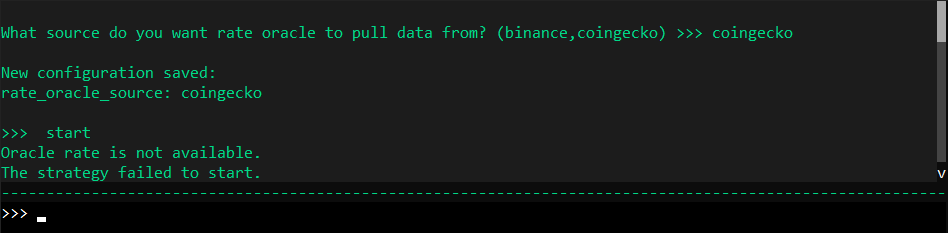
What source do you want rate oracle to pull data from? (binance, coingecko, gate_io, kucoin, ...)"
>>>
Run config rate_oracle_source in the client to see the full list for your install.
global_token.global_token_name
This is a token which you can display other tokens' value in. Set the global_token.global_token_name according to your preferred token value.
global_token.global_token.global_token_symbol
The symbol for the global token.
Tip
If you happen to start the bot and produce the error Oracle rate is not available, or if the rate_oracle_source fails to show any price reference on your pair, you may change the source by running config rate_oracle_source and selecting another supported exchange (for example Gate.io, Binance, or CoinGecko).
How it works
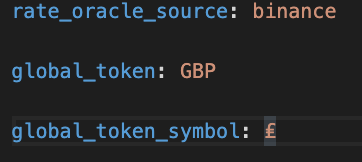
If you need to view the rate oracle conversion after the balance, pnl, open_orders, trades, and status command, set it manually in the conf_client.yml.
Note
In past versions of Hummingbot (1.5.0 and below), the conf_client.yml file is named conf_global.yml
To set the parameters for rate_oracle_source, global_token.global_token_name and global_token.global_token_symbol, run the config command.
Refer to the example below:
Change the default setting in conf_client.yml to GBP (Great Britain Pound). The conversion will show up when you run balance command.
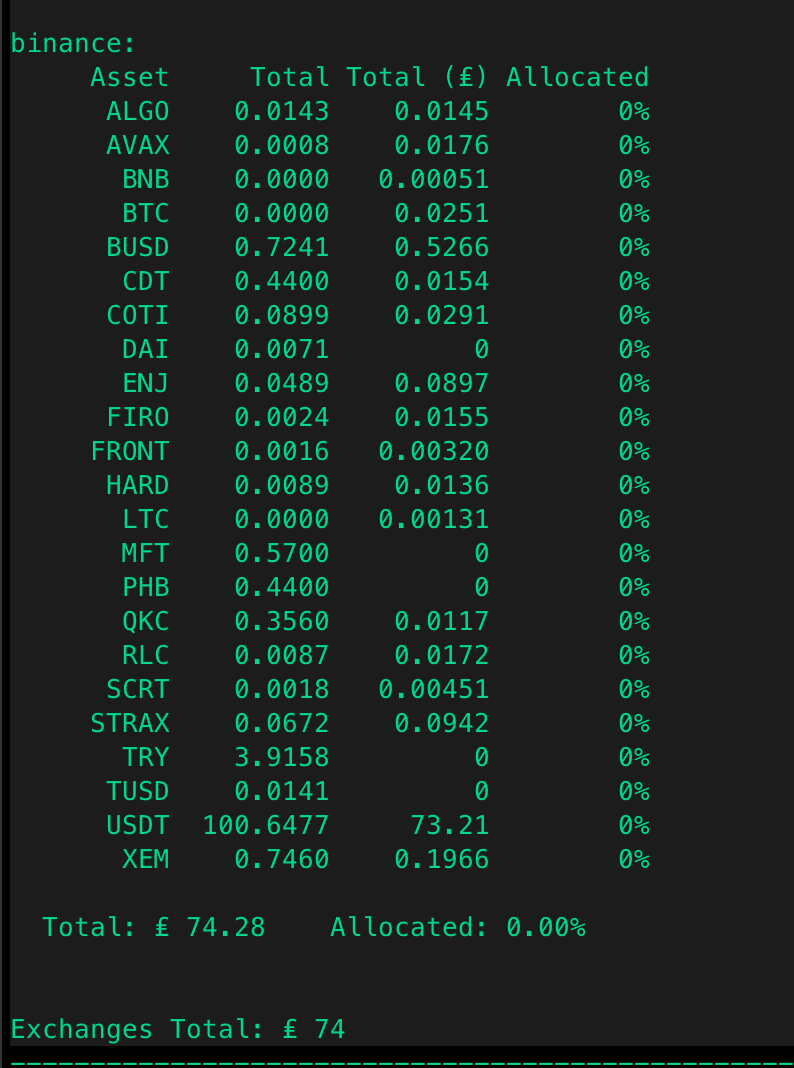
The conversion also shows up during the status command for the liquidity_mining strategy. Under the Miner section.
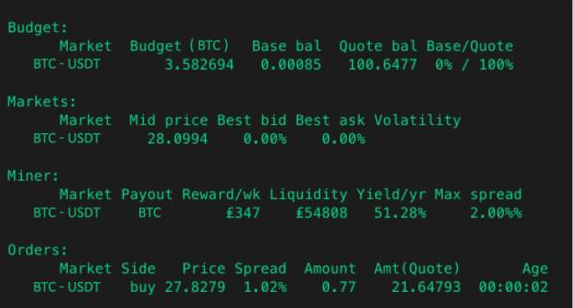
The conversion shows up when using the pnl command.
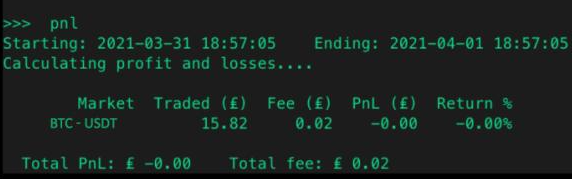
The conversion also shows up when running the trades command.
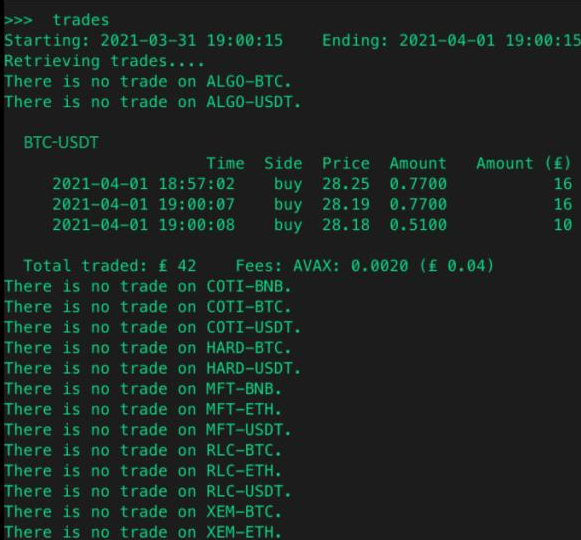
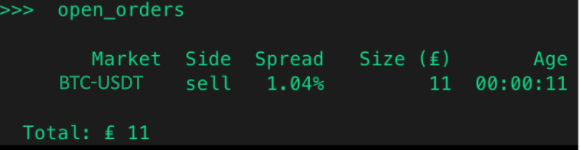
The conversion also works with the open_orders command.