GRVT
🛠 Connector Info
- Exchange Type: Decentralized Exchange (DEX)
- Market Type: Central Limit Order Book (CLOB)
| Component | Status | Notes |
|---|---|---|
| 🔀 Spot Connector | Not available | |
| 🔀 Perp Connector | ✅ | Uses API key authentication with Trading ID |
| 🕯 Spot Candles Feed | Not available | |
| 🕯 Perp Candles Feed | ✅ |
ℹ️ Exchange Info
- Website: https://grvt.io/
- CoinMarketCap: https://coinmarketcap.com/exchanges/grvt/
- CoinGecko: https://www.coingecko.com/en/exchanges/grvt-futures
- API Docs: https://api-docs.grvt.io/auth/
- Fees: https://help.grvt.io/en/articles/9614699-how-does-grvt-s-fee-model-work
- Supported Countries: Not available
🔑 Getting Keys Ready
To connect GRVT in Hummingbot, you need the following credentials:
- API Key
- Secret Private Key
- Trading ID (
sub_account_idin the GRVT API docs)
Generate API Credentials
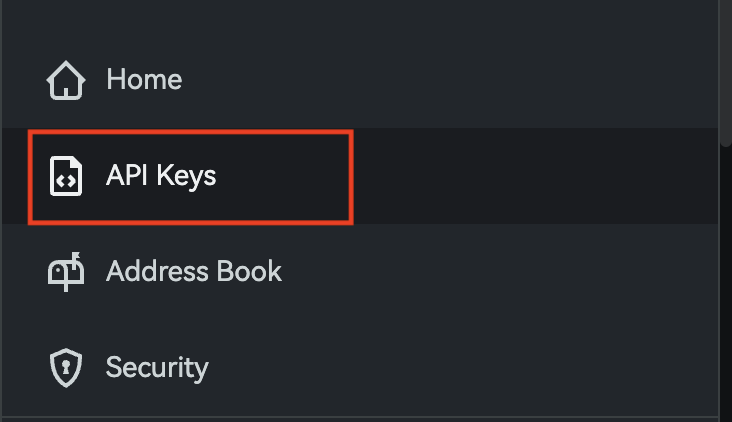
Open the API Keys page from the GRVT menu.
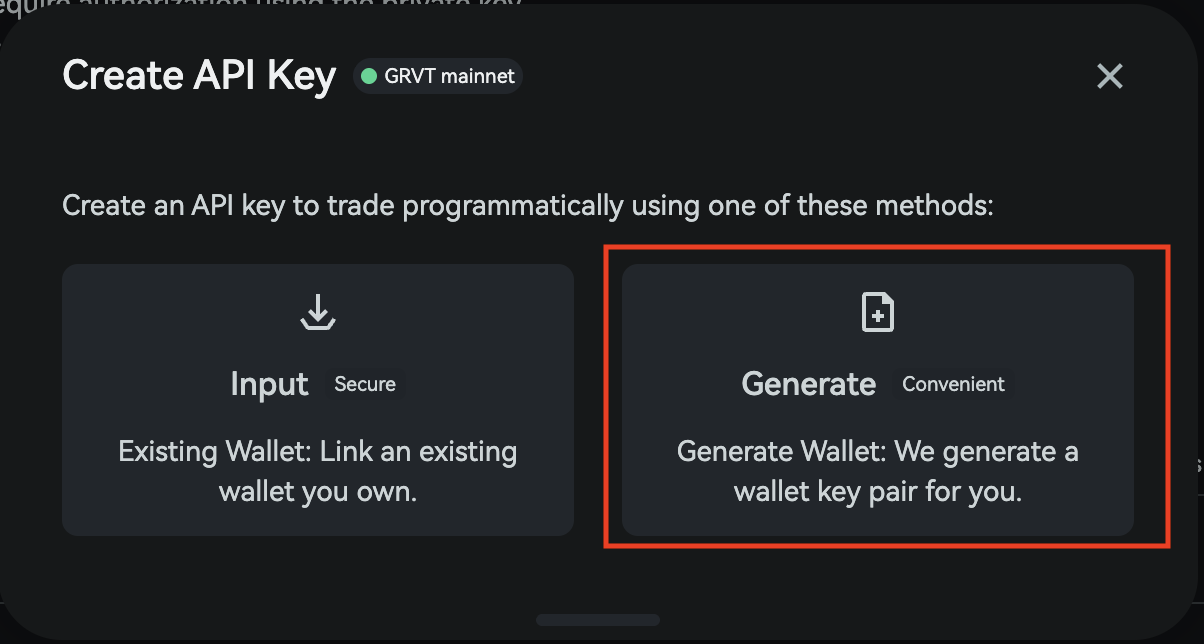
Click Create, then select the trading account you want to use for the API key.
In the creation window, choose Generate so GRVT creates the wallet-key pair for you.
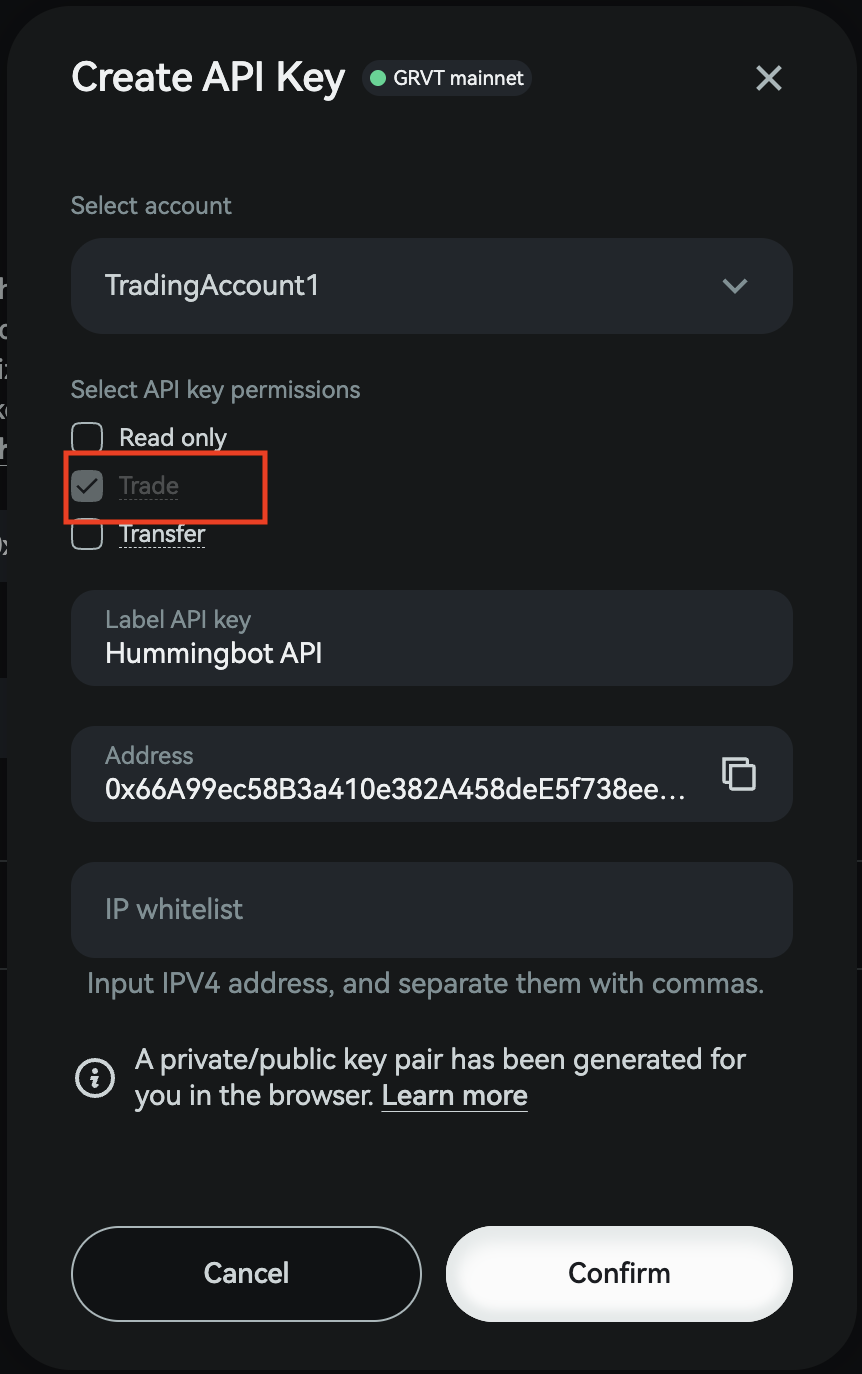
Enable the Trade permission for the API key.
Confirm the action in your connected wallet.
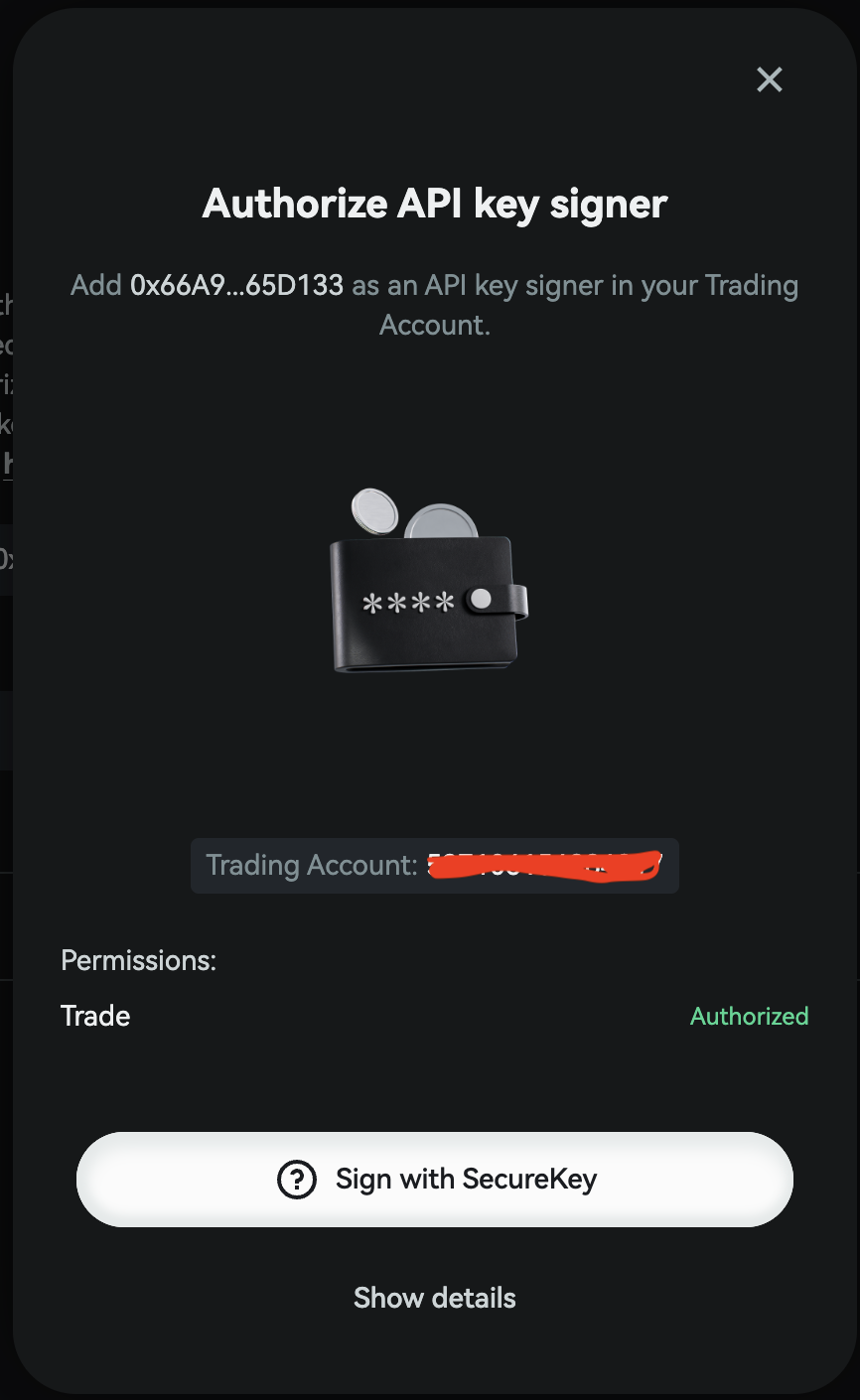
Once the API key is created, copy the API Key and Secret Private Key immediately.
Warning
The Secret Private Key is shown only once. Store it securely before closing the window. If you lose it, you will need to create a new API key.
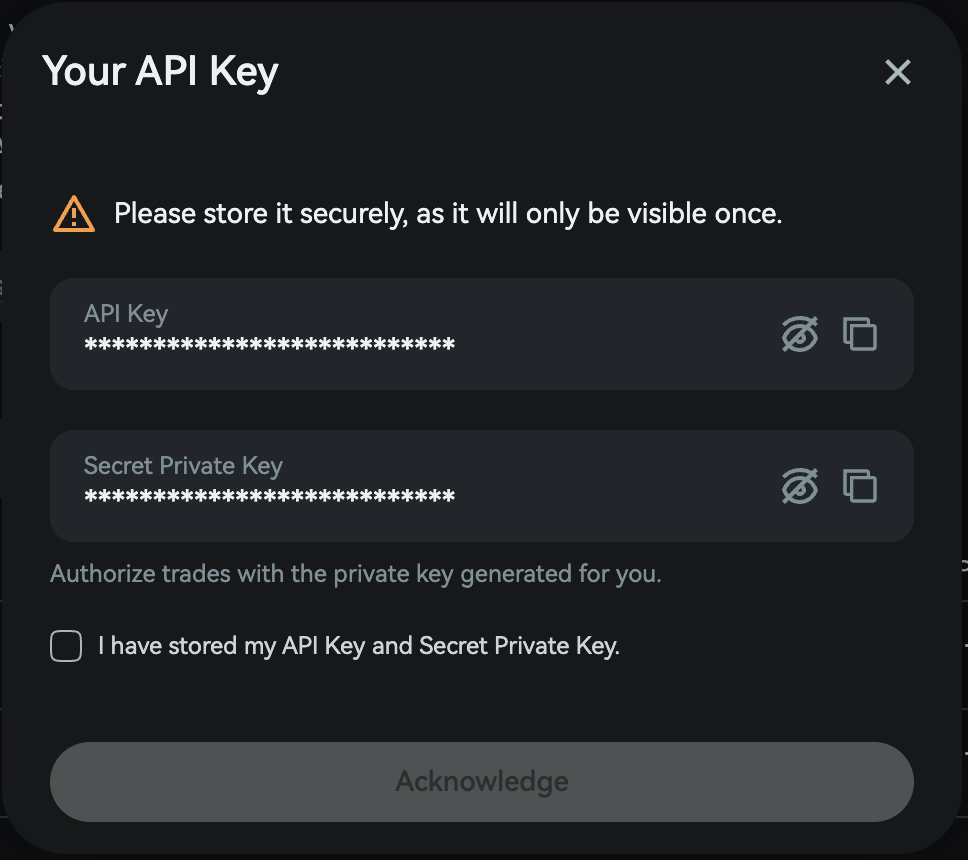
After closing the API key window, copy the Trading ID for the same trading account. This value is also required for authentication in Hummingbot.

Tip
In the GRVT API documentation, the Trading ID is referred to as sub_account_id. Use the Trading ID from the GRVT UI when Hummingbot asks for it.
🔀 Spot Connector
Not available.
🔀 Perp Connector
Integration to perpetual futures markets API endpoints
- ID:
grvt_perpetual - Authentication: API key, Secret Private Key, Trading ID
Usage
From inside the Hummingbot client, run connect grvt_perpetual:
Enter your GRVT API key >>>
Enter your GRVT secret private key >>>
Enter your GRVT trading account ID >>>
If connection is successful: